
Best Flashcard Builder for Students in 2026
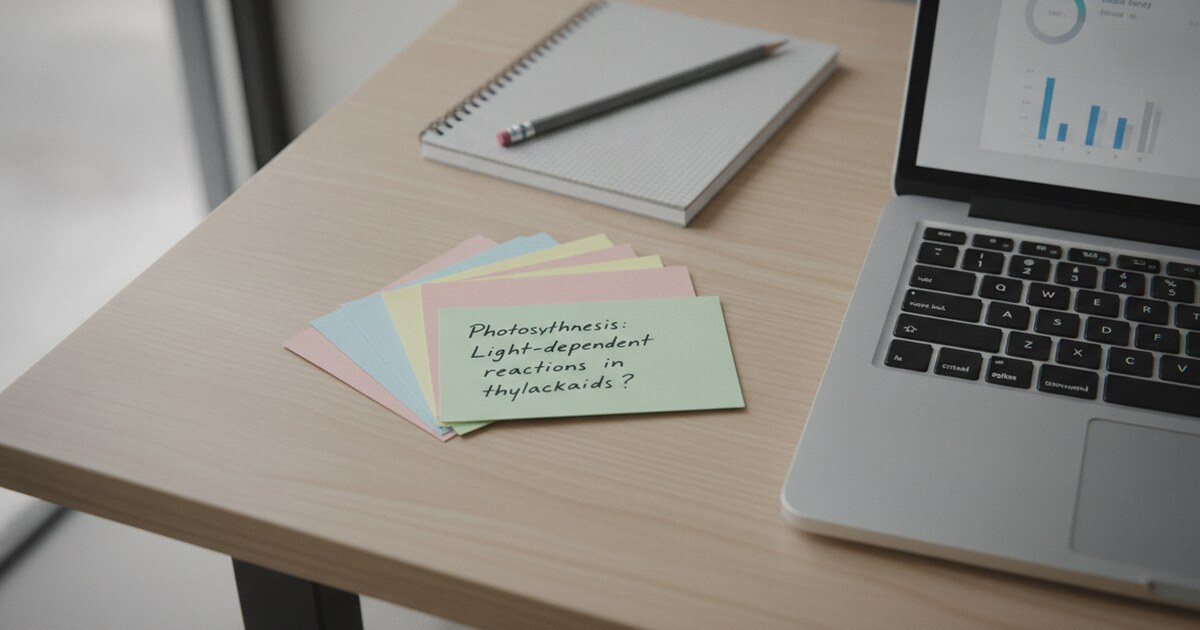
Best Flashcard Builder for Students in 2026
Flashcards work. Decades of learning research back them up, spaced repetition especially. But sitting down after a 2-hour lecture to type 80 question-and-answer pairs is its own kind of problem. By the time you finish making them, you've burned through the time you needed to actually study.
A good flashcard builder fixes that. The right tool turns your notes, PDFs, or lecture recordings into study-ready cards in minutes, so you can get straight to reviewing.
A flashcard builder is a web or mobile tool that creates digital study cards from text, documents, or audio recordings. AI-powered builders generate cards automatically from your source material, pulling out key terms, definitions, and concepts. The best free options include Knowt, Quizlet, and NoteHive AI, each suited to a different workflow depending on whether you start from typed notes, uploaded PDFs, or recorded lectures.
What to Look for in a Flashcard Builder
Before picking a tool, it helps to know what separates a genuinely useful builder from one that's just a digital version of index cards.
The most important factor is input method. Some builders require you to type each card manually. Others let you upload a PDF or paste in notes. The best ones accept lecture recordings or video files and generate cards from the audio.
Study modes matter almost as much as creation. Flipping through cards is the baseline. Spaced repetition, which schedules cards based on how well you know each one, is what makes the science work. Quiz and test modes let you gauge where you actually stand before an exam.
Flashcard learning traces its scientific grounding to Hermann Ebbinghaus, who mapped the forgetting curve in the 1880s and showed that spacing reviews over time sharply improves long-term retention. Modern spaced repetition systems build on that curve, scheduling reviews at 1 day, 3 days, 1 week, 2 weeks, and 1 month after first study. Students using spaced repetition consistently outperform cramming by a factor of 2 to 3 on delayed recall tests, according to a 2008 meta-analysis by Cepeda et al. in Psychological Bulletin.
For courses with large fact loads (anatomy, pharmacology, constitutional law, second-language vocabulary), a system that tracks what you know and surfaces harder cards more often is what separates consistent retention from the cramming-and-forgetting cycle. An effective flashcard builder needs a real implementation of spaced repetition, not just a flip interface with a static review order. Free-tier limits, document upload caps, and export options (Anki, PDF, or plain text) are worth checking before you commit to a platform for a full semester.
Mobile access rounds out the checklist. If you study on the bus or want to keep sets portable across devices, verify the tool works on your phone before building 500 cards in it.
Best Free Flashcard Builders for Students
There are dozens of options, but most fall into a few categories based on what you're starting from.
1. Knowt: Best for Students Who Take Notes and Flashcards Together
Knowt combines note-taking and flashcard creation on the same platform. Its AI generator converts lecture notes, PDFs, and PowerPoint files into card sets automatically. Study modes include Learn mode for active recall practice, Practice Test for simulated exams, and Matching for quick warmup sessions before a study block.
Knowt's spaced repetition system schedules the cards you struggle with more frequently than the ones you've mastered. There's a free tier, a Chrome extension, and the ability to import existing sets from Quizlet if you're switching tools mid-semester.
2. Revisely: Best for Multi-Format Document Upload
Revisely's flashcard generator accepts photos, PDFs, PowerPoints, and handwritten notes. Once uploaded, it converts the content into cards you can practice or export to Anki for offline studying. An exam mode gives personalized feedback on which answers you got wrong, so review sessions stay targeted.
The platform handles varied source formats well, which is useful when your materials come from multiple courses in different file types.
3. Quizlet: Best for Browsing Existing Card Sets
Quizlet hosts one of the largest libraries of student-created flashcard sets. If someone has already built cards for your exact textbook chapter or standardized exam, you can study from those immediately without building your own from scratch. That makes it the fastest option when you're short on time before a test.
4. NoteHive AI: Best for Turning Lecture Recordings into Flashcards
NoteHive AI's flashcard builder starts at the source. Record a lecture directly in the app or upload an existing audio or video file, and NoteHive generates organized notes plus a full flashcard set automatically. The workflow goes: record, get notes, get flashcards, get a quiz. Each step builds on the previous one, so you're not juggling three separate apps.
For a deeper breakdown of free options, the flashcard creator guide covers additional tools with a focus on free-tier access.
How to Create Flashcards That Actually Stick
A good builder helps, but how you structure the cards determines how much you'll retain.
Keep each card to one concept. Cards with multiple facts on one side are hard to review cleanly. If a card needs a paragraph to answer, it needs to be split into two or three smaller cards.
Frame the front as a question or a prompt. "What does ATP stand for?" works better than "ATP." Active retrieval, pulling the answer from memory rather than recognizing it, is what builds retention. A statement front skips that step.
Add a memory anchor on the back. A brief example, a mnemonic, or a contextual sentence helps. "ATP = adenosine triphosphate (the cell's energy currency)" gives the brain more to hold onto than a bare definition.
Keep sets focused. Aim for 20 to 30 cards per major topic rather than building sets of 200. Smaller, tighter sets get reviewed more consistently, which is where the retention actually comes from.
One last thing: don't treat card-making as studying. It feels productive, but flipping through cards you just created doesn't build retention. The retrieval practice needs to happen at a delay, ideally the next day.
Building Flashcards from a Lecture Recording
Most students take notes during a lecture, then build flashcards from those notes afterward. That's two passes through the same material: one to capture, one to organize. Recording the lecture and letting AI handle both steps cuts it down to one.
The workflow with NoteHive is straightforward. Open the app at the start of class, tap to record, and let the audio run. After the lecture, NoteHive processes the recording and generates structured notes with key concepts flagged. The flashcard set comes from those notes, so the cards reflect what was actually covered in class rather than only what you managed to write down under time pressure.
This matters most in fast-paced courses: chemistry, organic chemistry, biochemistry, any class where content moves faster than handwriting keeps up. Upload the recording after class and a flashcard set is ready in minutes.
For a deeper dive into the recording-first approach, auto-generate flashcards from lectures walks through the full method.
How NoteHive AI Handles the Full Study Pipeline
NoteHive's flashcard builder is part of a broader study workflow, and that's the real gap between it and standalone flashcard tools.
From one lecture recording, you get organized notes with key concepts highlighted, a ready-to-review flashcard set, and an interactive quiz that tracks which questions you got wrong. The quiz adjusts based on your performance, so review time focuses on weak spots rather than running through the entire deck again.
If you study on a commute or during a workout, the notes-to-podcast feature converts your notes into an audio file you can listen through. All of it, the notes, flashcards, quiz, and audio, comes from the same single recording.
NoteHive works in any browser at notehive.app, so there's no app to install. The free tier gets you started without a credit card. It supports 80+ languages, which makes it useful for international students and anyone taking courses in a second language.
The best AI flashcard maker for students roundup breaks down how NoteHive stacks up across accuracy, study modes, and free-tier limits.
Frequently Asked Questions
What is the best free flashcard builder?
For students who type their notes, Knowt and Quizlet are the most feature-complete free options, with AI generation, study modes, and mobile access. If you record lectures, NoteHive AI generates flashcards directly from audio, removing the manual typing step and getting you from class to review faster.
Can ChatGPT create flashcards?
Yes, you can paste notes into ChatGPT and prompt it to produce question-and-answer pairs. The limitation is you'd then need to copy those pairs into a flashcard app manually to get study modes or spaced repetition. Tools like Knowt and NoteHive handle generation and studying inside one platform, so nothing gets lost in the copy-paste process.
How do I make flashcards from a PDF?
Upload the PDF to a tool that supports document imports. Knowt and Revisely both accept PDFs and use AI to pull out key terms and definitions automatically. You can also paste sections of the PDF as text into most flashcard tools and generate cards from the pasted content if direct upload isn't available on the free tier.
What's the difference between a flashcard builder and a quiz generator?
A flashcard builder creates individual review cards you study at your own pace with a flip or reveal mechanic. A quiz generator produces scored tests with answer checking. Many modern tools, including NoteHive AI, offer both: build the flashcard set from your notes or recording, then generate a practice quiz from the same material without any extra steps.
Ready to stop spending more time making flashcards than studying them? Start studying smarter with NoteHive at notehive.app — record a lecture or upload your notes and get AI-generated flashcards ready in under 2 minutes.
Ready to transform your study sessions?
Start using NoteHive AI in your browser — turn your lectures into organized notes, flashcards, and quizzes. No download required.