
Mindgrasp vs StudyFetch vs NoteHive for Students (2026)
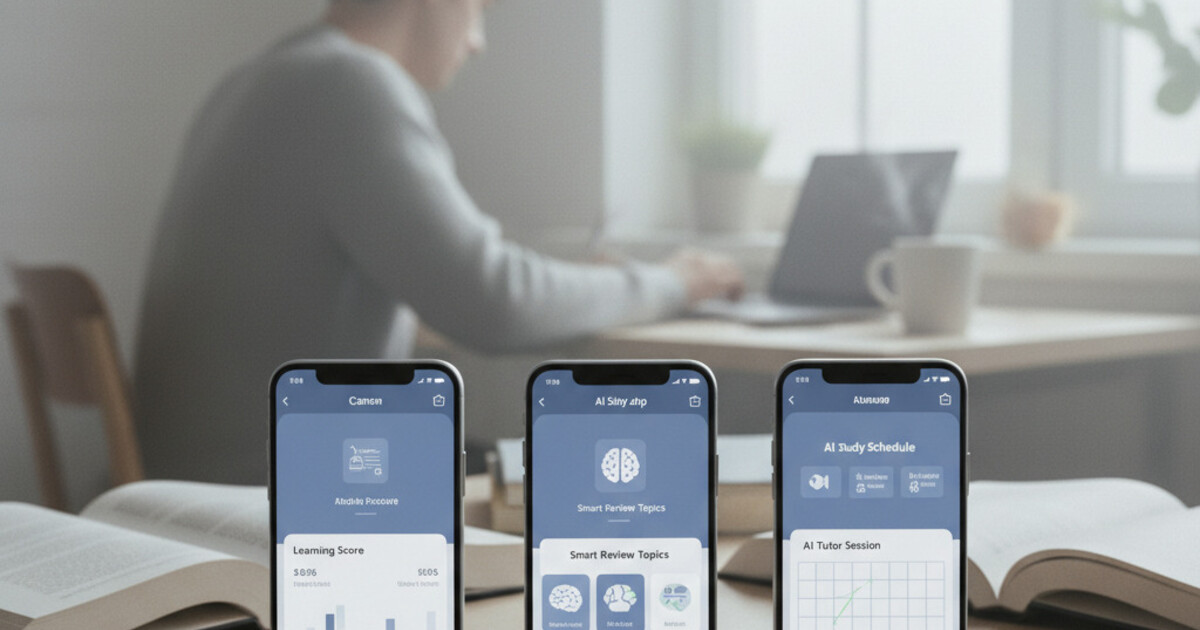
If you've spent any time looking for an AI study app, you've probably run into all three: Mindgrasp, StudyFetch, and NoteHive. They all promise to help you study smarter. They all generate flashcards, notes, or quizzes from your content.
But "Mindgrasp vs StudyFetch vs NoteHive" isn't a clean comparison, because these apps are built for different parts of the study process. Picking the wrong one means you're paying for features that don't fit how you actually study. This breakdown covers what each app actually does, where it excels, and which type of student will get the most out of it.
For most college students, NoteHive is the strongest all-in-one option because it covers the complete study pipeline: lecture recording, AI-generated notes, flashcards, quizzes, and audio playback from your notes. Mindgrasp works better for reading-heavy programs that rely on PDFs and documents. StudyFetch is the right pick if you already have notes captured and want a structured practice exam system to drill them.
What Each App Is Actually Built For
Understanding each app's core design tells you more than any feature checklist.
Mindgrasp processes uploaded content. You hand it a PDF, a document, an audio file, or a YouTube link, and it generates summaries, notes, and Q&A based on that source material. Its strength is making dense reading material digestible. Upload a 40-page research paper and it'll surface the key concepts, frame them as questions, and build a flashcard set from the main ideas.
StudyFetch is built for the review phase. The assumption is that you already have notes or study content, and your problem is turning that content into structured practice. Upload your notes and StudyFetch creates flashcard sets, runs adaptive practice tests, and lets you ask follow-up questions through its Spark AI tutor when something isn't clicking.
NoteHive starts at the beginning of the study process: the lecture itself. Record with one tap, and the app generates organized notes, flashcards, and a quiz automatically from the recording. There's also a notes-to-podcast feature that converts your notes into audio you can listen to later. It's designed around the idea that the most valuable learning happens in the classroom, and you shouldn't spend that time writing instead of listening.
Mindgrasp: Best for Reading-Heavy Programs
If your courses run on textbooks and research papers, Mindgrasp handles that content well.
Upload a dense PDF and it returns a structured summary, key concept breakdowns, and a Q&A set that mirrors how an exam might approach the material. The question-framing is particularly useful for retention since it forces you to recall, not just recognize.
Mindgrasp supports multiple input formats. Audio files and YouTube links work alongside documents, so you're not locked to text-only content. That's more flexible than it sounds for a document-processing tool.
Where Mindgrasp falls short: it's not built for live lectures. You can't record a class in real time through Mindgrasp. If your professor doesn't post slides or readings beforehand, you'd need to record the lecture separately, get a transcript, and then upload it. That's extra friction compared to apps designed around live capture.
It also doesn't offer a notes-to-audio feature, so once you have your notes, the workflow stays mostly text-based.
StudyFetch: Best for Drilling What You've Already Captured
StudyFetch is fundamentally about active recall. The whole platform assumes you've already got notes and want to squeeze more retention out of them.
Upload your notes and StudyFetch builds adaptive flashcard sets automatically. The practice exam feature generates tests from your content, and the system tracks which cards you keep getting wrong so it focuses your review time on actual weak spots rather than cycling through material you already know.
The Spark AI tutor is a genuine differentiator. When a concept isn't making sense, you can ask questions and get an explanation rather than going back to YouTube or your textbook. For subjects with complex reasoning (statistics, chemistry, economics), that kind of on-demand explanation saves real time.
The limitation: StudyFetch works downstream. You need to bring your own notes. It doesn't record lectures, generate notes from audio, or create content from scratch. If capturing class content is your main challenge, StudyFetch doesn't help with that part.
NoteHive: Best for Lecture-Based Students
NoteHive is built around a different starting point: the lecture itself.
The workflow is simple. Tap once to record, let the lecture run, and walk out of class with organized AI notes already generated, a flashcard set from that day's material, and a short quiz to test what stuck. From those notes, you can also generate an audio podcast that plays while you commute or work out.
The practical advantage: you don't need to do anything between steps. There's no exporting a transcript, pasting it somewhere else, or manually building flashcards from your notes. The pipeline runs automatically from recording to finished study materials.
NoteHive supports transcription and note generation in 80+ languages. For international students following lectures in a second language, this is a significant advantage. Keeping up with a fast professor is already hard; doing it in your second language while also taking notes makes it significantly harder. NoteHive lets you focus on listening and handles the notes automatically, in whichever language you need.
Here's how the full cycle plays out for a typical student: You sit down for a 50-minute biology lecture. Instead of splitting your attention between listening and writing, you tap record and focus on the professor. After class, NoteHive delivers structured notes sorted by concept, with key terms and definitions already organized, not a raw stream of transcribed words. From those notes, the app generates a flashcard set covering the specific material from that lecture. A short quiz checks which concepts stuck and which need more work. On the commute home, you switch to the podcast version of your notes and cover the material a third time by listening. Students who use this complete cycle report engaging with lecture content 3 times (during the lecture, during flashcard review, and during audio playback) without the manual effort of building each study format from scratch. That kind of repeated exposure, with almost no extra work, is what separates NoteHive from tools that stop at transcription.
NoteHive is also university-compliant. It records and organizes lecture content; it doesn't answer exam questions or complete assignments. If you've been wondering where the line is between AI study tools and academic dishonesty, NoteHive stays on the right side of it. The article on whether using AI to study is cheating covers that in full if you want the details.
Head-to-Head Feature Comparison
| Feature | Mindgrasp | StudyFetch | NoteHive |
|---|---|---|---|
| Live lecture recording | No | No | Yes |
| AI note generation | From uploads | No | From recordings |
| Auto flashcard generation | Yes | Yes | Yes |
| Practice quizzes / exams | Yes | Yes | Yes |
| Notes-to-podcast | No | No | Yes |
| PDF / document upload | Yes | Yes | No |
| AI tutor / chatbot | No | Yes (Spark) | No |
| 80+ language support | Limited | No | Yes |
| Free tier | Yes | Yes | Yes |
| Platforms | Web | Web | iOS, Android, Web |
Which One Should You Choose?
This comes down to where your study friction actually is.
Choose Mindgrasp if you're in a reading-heavy program where your professors post slides, papers, and readings before class. Law, medicine, the humanities: any field where you're processing large volumes of text and need to pull the key ideas out efficiently. Mindgrasp is built for that workflow.
Choose StudyFetch if you already have solid notes from some other source and your bottleneck is the practice phase. The adaptive tests are well-built, and the Spark AI tutor makes it more than just a flashcard app. If you've already solved the capture problem, StudyFetch handles the review side well.
Choose NoteHive if lectures are the center of your learning and you want the complete pipeline handled automatically. Record, get notes, review flashcards, take a quiz, listen on the go. For students in fast-paced lecture programs, or international students managing a second language in the classroom, NoteHive covers more ground than either alternative.
If you're comparing this category more broadly, the article on the best Otter AI alternatives for students in 2026 covers how these tools stack up against the transcription-focused apps you've probably already seen.
Frequently Asked Questions
Is Mindgrasp better than NoteHive for college students? It depends on your program. Mindgrasp is stronger for reading-heavy workloads with lots of PDFs and documents to process. NoteHive is better for lecture-heavy programs where capturing and automatically processing class recordings is the primary need. If your courses are both, some students use both tools for different parts of their workflow.
Does StudyFetch record lectures? No. StudyFetch focuses on the review phase of studying. You need to bring your own notes or study content; it doesn't record or generate notes from scratch.
Is NoteHive free? NoteHive has a free tier that gives you access to core features, including recording, note generation, and flashcard creation. A premium subscription unlocks unlimited recordings and the full feature set.
Which is better for international students: Mindgrasp or NoteHive? NoteHive's 80+ language support makes it the stronger option. It can transcribe lectures and generate notes in your preferred language, which matters when following fast-paced lectures in a second language.
Can you use NoteHive and StudyFetch together? You could. Record lectures and generate notes in NoteHive, then bring those notes into StudyFetch for adaptive practice exam drilling. Some students run a two-app workflow for this reason, though NoteHive's built-in quizzes cover the practice phase for most students without a second tool.
Conclusion
Mindgrasp, StudyFetch, and NoteHive each solve a specific problem. Mindgrasp processes your readings. StudyFetch drills your existing notes with adaptive tests. NoteHive captures your lectures and converts them into a complete set of study materials automatically.
For students who rely on lectures, NoteHive covers the most ground from the moment you hit record through to audio review on your commute. Try the free version at notehive.app and run it through a real lecture week to see how it fits.
Ready to transform your study sessions?
Start using NoteHive AI in your browser — turn your lectures into organized notes, flashcards, and quizzes. No download required.