
How to Transcribe Conversations: 3 Methods That Work
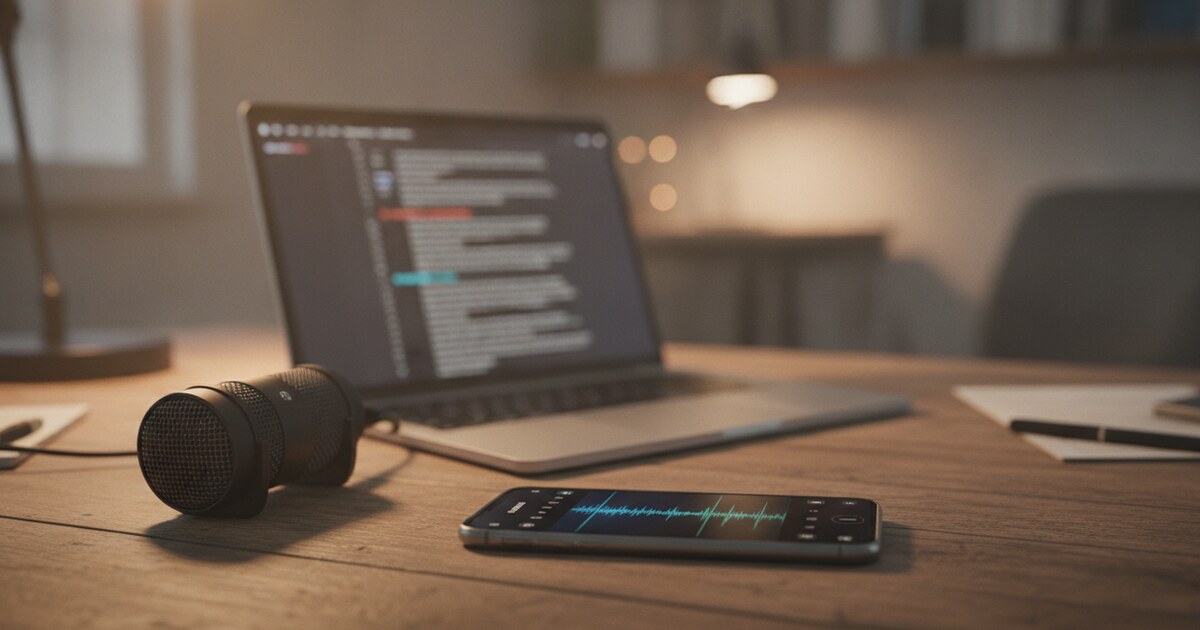
How to Transcribe Conversations: 3 Methods That Work
Recording a conversation is simple. A few taps on your phone and you've got an audio file. Turning that audio into text you can actually use — search, quote, share, or study from — is where most people stall.
There's no single best method for conversation transcription. The right choice depends on how long the recording is, how many speakers there are, and what you'll do with the text. A 10-minute interview has different requirements than a 90-minute lecture or a casual phone call you want to archive.
This guide covers three practical methods: AI transcription tools, real-time apps for live conversations, and manual transcription for when you want full control. Each one has specific steps, realistic accuracy expectations, and situations where it works better than the others.
To transcribe a conversation, upload the audio or video file to an AI transcription tool. Most tools process recordings in 1-2 minutes with 85-95% accuracy on clear audio. For live conversations, record first on your phone and upload the file immediately after. Manual transcription is always an option but takes roughly 4 times the length of the recording.
Why You'd Want to Transcribe a Conversation
Spoken conversations disappear the moment they happen. A recorded audio file is better than nothing, but it's difficult to search, cite, or share in any useful way. A text transcript changes what you can do with that conversation entirely.
Students pull exact quotes from recorded lectures for papers and study guides. Journalists verify quotes and speed up fact-checking. Professionals document client calls, meeting decisions, and action items. Anyone who needs to find something specific in a long recording saves hours with a searchable transcript.
Conversation transcription converts spoken audio into a written record that can be searched, shared, cited, and stored. The two main approaches are automated AI transcription and manual transcription. AI tools use speech recognition models to process audio files and return text in minutes: accuracy ranges from 85-95% on clearly recorded audio in a quiet environment and drops to 70-80% when multiple speakers overlap, accents are strong, or background noise is present. Manual transcription, done by a human typing from audio playback, reaches 99%+ accuracy but takes 4-6 hours per hour of audio at a professional pace. For most use cases including meetings, interviews, and lectures, AI transcription handles the first pass and a quick human review catches the errors. Professional human transcription services like Rev charge $1.50-$3.00 per audio minute and are used when accuracy is legally or medically required.
How to Transcribe Conversations: 3 Methods
Method 1: Upload to an AI transcription tool (fastest)
This is the right approach for recorded conversations: phone calls, saved Zoom recordings, voice memos, or any audio you already have as a file.
Step 1: Export the audio. Get the file off your phone or recording device. Most voice recorders save as .m4a or .mp3. Video files work too — AI tools extract the audio track automatically.
Step 2: Upload the file. Go to notehive.app/onboarding or any AI transcription service. Drag the file in or select it from your device. Common formats include mp3, m4a, wav, mp4, and mov.
Step 3: Let the AI process it. A 30-minute conversation typically takes 30-90 seconds. Longer files take proportionally more time.
Step 4: Review and edit. AI transcription isn't perfect. Proper nouns, technical terms, and overlapping speech need cleanup. Budget 10-15 minutes of review for every hour of audio.
NoteHive goes a step further here. It doesn't just return a raw transcript: it organizes content into structured notes, highlights key concepts, and can generate flashcards or a quiz from the material. Useful when the conversation was a lecture or research interview you need to study from later. The full guide on uploading audio files is at how to transcribe audio to text.
Method 2: Real-time transcription (for live conversations)
Real-time transcription converts speech to text as it happens. Some apps run in the background on your phone while another app records; others use your phone's microphone directly.
Accuracy is lower than post-recording AI, typically 80-90%, because there's no chance to re-process unclear audio. Accents, side conversations, and background noise hit harder in real-time mode.
Use this when you need text immediately after the conversation ends and don't want to run anything through a tool afterward. Press conferences, live events, and classroom discussions are common use cases.
Check your phone's battery before starting. Transcribing a 90-minute conversation in real time drains it fast.
Method 3: Manual transcription (when accuracy is non-negotiable)
Type it yourself. This sounds slow, but there's a workflow that makes it faster.
Set your audio player to 50-70% speed. Use a foot pedal or keyboard shortcut to pause without lifting your hands from the keyboard. Transcribe in 2-3 minute chunks, then play back from slightly before where you stopped to catch transitions.
A trained transcriptionist averages 4 hours of work per hour of audio. Without practice, expect 5-6 hours. Manual transcription makes sense for legal depositions, medical notes, or any content where every word must be exact.
For most students and professionals, AI transcription plus a manual review pass delivers 99%+ effective accuracy with a fraction of the time investment.
Common Challenges With Conversation Transcription
Three problems come up consistently, and all three have workarounds.
Multiple speakers. AI transcription is good at capturing what was said. Knowing who said it — speaker diarization — is harder. Most free tools don't separate speakers by voice. If you need labeled turns ("Speaker 1:" / "Speaker 2:"), you'll either edit manually or use a paid tool with diarization. NoteHive currently doesn't include speaker labels, so plan to add those by hand if you need them.
Background noise. A busy coffee shop, a ventilation system, or a nearby TV can cut accuracy from 90% to 60%. If you know you'll transcribe the recording later, use an external microphone or move to a quieter space. It's faster to record clean audio than to edit a noisy transcript afterward.
Accents and technical vocabulary. AI models trained on general speech sometimes struggle with regional accents or field-specific jargon. Run a quick test on a 2-minute sample before committing to a full-length recording. For domain-specific conversations like medical consultations or legal proceedings, professional transcription services offer human review as part of the workflow.
How to Format a Conversation Transcript
Two formats cover most use cases.
Verbatim keeps every word exactly as spoken: filler words ("um," "uh," "like"), false starts, repetitions, and nonverbal cues. Use this for legal transcripts, research interviews where exact wording matters, and any context where paraphrasing could change the meaning.
Clean (intelligent verbatim) removes filler words and light disfluencies while keeping all meaningful content. This is the right choice for meeting notes, lecture summaries, and anything you'll share with someone who wasn't in the conversation.
For speaker labeling, use "Speaker 1:" and "Speaker 2:" until you identify the voices, then find-and-replace to add names. Add timestamps every 5-10 minutes so you can jump back to the audio if a section needs verification.
If you're using the transcript for study materials, rigid formatting isn't necessary. Clean text you can paste into NoteHive or another tool is enough to generate organized notes and flashcards from.
How NoteHive Handles Conversation Transcription
NoteHive is built for the full workflow: upload audio or video, get a transcript, and immediately turn that content into structured study materials.
Upload any common audio format (mp3, m4a, wav, flac, aac, ogg, webm) or video file (mp4, mov, avi, mkv) and the AI processes it into organized notes with key concepts sorted and highlighted. It handles 80+ languages, so recorded conversations in Spanish, Mandarin, French, or any other supported language get the same treatment as English recordings.
Beyond the raw transcript, NoteHive generates:
- Auto-formatted notes from the conversation content
- Flashcards based on key concepts
- A practice quiz from the material
- An audio podcast version of the notes for review while commuting
This makes it particularly useful for students transcribing lectures or seminars, journalists processing interview recordings, or anyone who needs study materials out of a conversation rather than just a wall of text. For interviews specifically, see the full guide on how to transcribe an interview for format tips tailored to Q&A recordings.
Frequently Asked Questions
How do you transcribe a conversation for free?
Upload the audio file to a free AI transcription tool. NoteHive has a free tier at notehive.app/onboarding that processes recordings and returns organized notes with no credit card required. Other free options include Otter.ai, which offers limited monthly minutes on a free plan, and Google's built-in Live Transcribe for Android. Free tiers typically cap at a monthly minute or note limit, so test on a short recording first to check accuracy before processing longer files.
Can you transcribe a conversation in real time?
Yes. Several apps offer live transcription using your phone's microphone. Accuracy in real-time mode is typically 80-90% versus 85-95% for post-recording AI, because the algorithm can't re-process unclear segments. For better results, hold the microphone close to the speaker and minimize background noise. Real-time transcription works well for live events and press conferences where you need text immediately, and less well for casual multi-person conversations with a lot of crosstalk.
How accurate is AI conversation transcription?
On clearly recorded audio in a quiet environment, modern AI transcription reaches 85-95% accuracy. Accuracy drops to 70-80% when speakers talk over each other, when strong accents are present, or when background noise is significant. A quick manual review of 10-15 minutes per hour of audio catches the errors that matter. For legal or medical content where every word counts, human transcription services provide 99%+ accuracy with a guaranteed turnaround.
How long does it take to transcribe an hour of conversation?
AI tools process an hour of audio in 1-3 minutes, then add 10-15 minutes of manual review. Manual transcription takes 4-6 hours per hour of audio for a trained transcriptionist. Real-time transcription produces text as the conversation happens, so the output time equals the conversation length. For most situations, AI plus a review pass is the best tradeoff between speed and accuracy.
Ready to put your recorded conversations to use? Start transcribing free at notehive.app — upload any audio or video file and get a full transcript plus organized notes, flashcards, and a practice quiz in under 2 minutes.
Ready to transform your study sessions?
Start using NoteHive AI in your browser — turn your lectures into organized notes, flashcards, and quizzes. No download required.