
Can You Record Lectures in College? Yes, in Most States
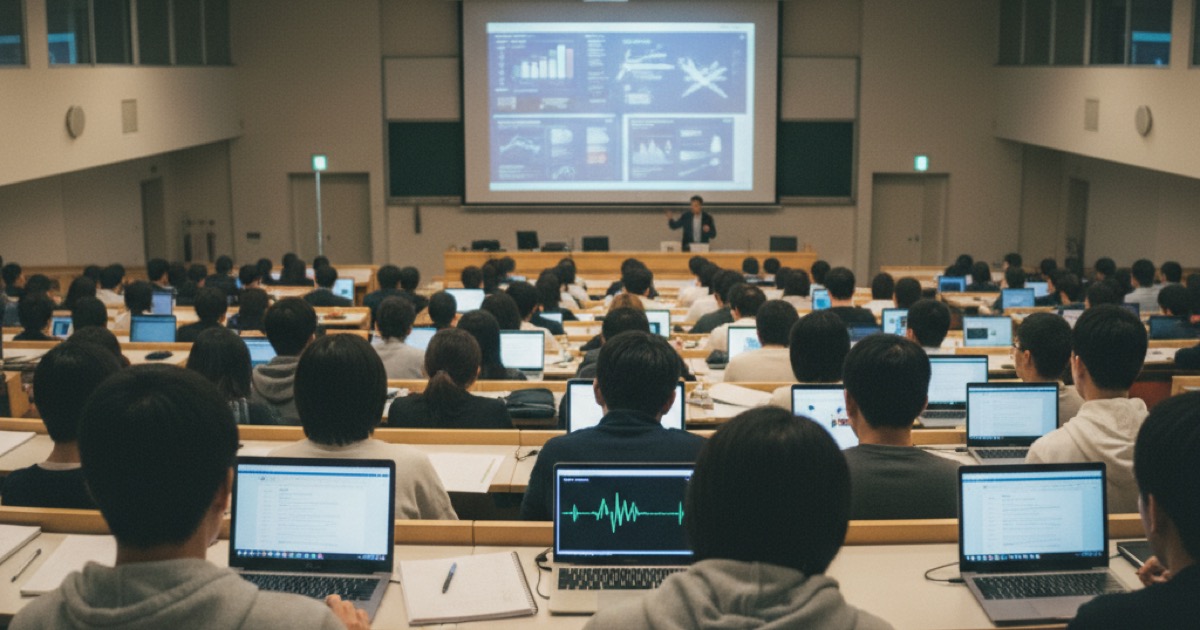
You're sitting in a packed lecture hall and the professor is flying through slides. You can't keep up with notes. Your first thought: can I just record this?
The short answer is yes, you can record lectures in college in most situations. But there are rules, and they vary by state, school, and professor. Getting it wrong can mean anything from a warning to a grade penalty. Here's what you need to know before hitting record.
You can record lectures in college if your state allows one-party consent recording and your professor or university hasn't explicitly prohibited it. Most schools permit recording for personal study use. Some require professor permission first. Students with documented disabilities have federal legal protections for lecture recording under the ADA.
The Legal Side: State Recording Laws
Recording laws in the United States fall into two categories: one-party consent and two-party (all-party) consent.
One-party consent states (38 states plus DC) allow you to record any conversation you're part of without telling anyone else. Since you're present in the lecture, you can legally record. This covers most of the country, including New York, Texas, Ohio, and Virginia. In these states, your legal right to record is clear, though university policies may add their own restrictions on top of the legal baseline.
Two-party consent states (12 states) require all parties to know they're being recorded. These include California, Florida, Illinois, Massachusetts, Maryland, Pennsylvania, Washington, Connecticut, Michigan, Montana, New Hampshire, and Oregon. In practice, a lecture to 200 students is generally considered a public setting where there's no expectation of privacy, so recording is usually still legal. The safer approach in these states is to get professor permission.
Here's the important nuance: legal permission and university permission are different things. You might be legally allowed to record in your state, but your school's academic policy might still require you to ask the professor first. Legal compliance is the floor, not the ceiling.
What Your University Probably Says
Most colleges address lecture recording in their student handbook or academic policies. The policies generally fall into one of four categories. Open recording policies (about 20% of schools) allow students to record any lecture for personal study use. These are common at large public universities where lectures are already semi-public events. Permission-required policies (about 50% of schools) allow recording only with explicit professor consent. Some require written permission, others accept verbal approval at the start of the semester. Restricted policies (about 20% of schools) limit recording to specific circumstances, usually ADA accommodations or courses that opt in. Unaddressed policies (about 10% of schools) have no formal policy, which means it defaults to state law and professor preference.
If your school doesn't have a clear policy, the safest move is to ask your professor before the first recording. Most professors say yes when asked politely. Many actually appreciate it because it means students are engaged enough to want to review the material.
ADA Protections: Your Rights as a Student with a Disability
Students with documented disabilities have the strongest protections for lecture recording. Under the Americans with Disabilities Act (ADA) and Section 504 of the Rehabilitation Act, lecture recording is a commonly approved reasonable accommodation.
If your school's disability services office approves recording as an accommodation, professors cannot refuse (with very narrow exceptions for courses involving confidential patient information or trade secrets). The accommodation letter from your disability office overrides any classroom recording ban.
Common qualifying conditions include ADHD, learning disabilities (dyslexia, dysgraphia), hearing impairments, anxiety disorders that affect note-taking, and physical disabilities that limit writing. You don't need to disclose your specific diagnosis to the professor. The accommodation letter simply states what you're approved to do.
To set this up, visit your campus disability services office, provide documentation from your healthcare provider, and request lecture recording as an accommodation. The process typically takes 1 to 3 weeks.
How to Ask Your Professor (and What to Say)
If your school requires permission, a quick email before the semester starts works best.
Keep it simple and professional:
"Hi Professor [Name], I'm enrolled in your [Course Name] class this semester. I'd like to record lectures for my personal study notes. The recordings would be for my own review only and wouldn't be shared. Would that be okay with you? Thanks, [Your Name]"
Most professors say yes. The ones who hesitate usually worry about recordings being shared publicly or used to skip class. Address those concerns directly:
- Recordings are for personal study only
- You won't share them with other students or post them online
- You'll still attend every class
- You're recording to improve your study materials, not replace attendance
If a professor says no, respect it. You can still take better notes manually, or ask if they'd be willing to share their own slides or outlines after class.
How to Record Lectures: Setup and Best Apps
The legal question resolved, here's what actually produces a usable recording.
Placement is the biggest variable. Set your phone on the desk face-up rather than leaving it in your bag, and sit within 15–20 feet of the professor. In classrooms with PA systems, positioning near a speaker reduces ambient echo. In a standard 30–40 person classroom, any front-half seat captures clear audio.
Dedicated recording apps and basic voice memo apps serve very different purposes. Dedicated apps like NoteHive AI work in any browser at notehive.app, require no install, and automatically convert recorded audio into structured notes, flashcards, and quizzes after class. Native apps (iOS Voice Memos, Google Recorder on Android) capture clean audio but produce a raw file you review manually. The time gap between the two approaches matters: re-listening to a 75-minute lecture takes 75 minutes; reviewing AI-generated notes from the same recording takes 5–10 minutes. Transcription accuracy for dedicated apps runs 85–95% for clear classroom audio, dropping to 70–80% in crowded auditoriums or with fast-talking professors. For exam prep, the notes and flashcard workflow matters more than the raw transcript. Active recall beats passive re-listening to catch what you missed.
Battery and storage check before class. A 75-minute recording uses roughly 25–50 MB at compressed audio quality. Confirm 30% battery minimum and 500 MB free storage before heading to the lecture hall. Running out of battery mid-lecture is the most common reason a recording fails.
For side-by-side comparisons of recording apps, our best lecture recorder app guide covers the top options in detail.
From Lecture Recording to Study Notes
Recording alone doesn't help you learn. A 50-minute audio file sitting on your phone is just storage. The value comes from what you do with the recording afterward.
Re-listening to the full lecture takes as long as sitting through class again. AI tools have carved that bottleneck down to a fraction of the time.
NoteHive AI records the lecture and automatically generates organized notes, flashcards, and quizzes from the content. Instead of spending an hour re-listening, you spend 10 minutes reviewing AI-generated notes and testing yourself with flashcards. We covered the full workflow in our guide on turning lecture recordings into study notes.
The 80+ language support matters if you attend lectures in a second language. Record in the lecture language, get notes in your preferred language for review.
For tips on getting the cleanest possible audio (microphone placement, handling noisy lecture halls, settings for large auditoriums), check our lecture recording tips guide.
How NoteHive AI Makes Lecture Recording Worth It
NoteHive AI turns lecture recordings into a complete study system. One tap starts the recording. After class, the app generates organized notes, flashcards, quizzes, and even podcast-style audio from the lecture content.
The 80+ language support is especially useful for international students who attend lectures in a second language. Record in English, get notes in your preferred language, or the reverse.
Works in any browser at notehive.app — no install needed. The recording is just the starting point; the study materials that come out the other side are where the learning actually happens. Free to start, and university-compliant: it helps you study, it doesn't do your work for you.
Frequently Asked Questions
Are you allowed to record lectures in college?
In most cases, yes. In one-party consent states (38 states plus DC) you can legally record a lecture you attend, though your university's own policy may require asking the professor first. Students with an ADA accommodation have a protected right to record. Check your student handbook, and when in doubt, ask — most professors say yes.
Can I record lectures without telling the professor?
In one-party consent states (38 states plus DC), yes, it's legally permitted. However, your university may have its own policy requiring permission. Check your student handbook first. When in doubt, a quick email to the professor keeps you in the clear.
What if my professor says I can't record?
Respect their decision unless you have an ADA accommodation. If you have an approved accommodation from disability services, the professor must allow recording. Without an accommodation, focus on alternative strategies: ask for slides, collaborate on notes with classmates, or speak with your department about the policy.
Can professors record their own lectures and share them?
Yes, and many do. Lecture capture systems like Panopto and Echo360 are common at large universities. If your professor records lectures, you may not need to record on your own. Check your course's LMS (Canvas, Blackboard) for posted recordings.
Is it okay to share lecture recordings with classmates?
This depends on your school's policy and what you agreed to when asking permission. Most policies restrict recordings to personal use only. Sharing without explicit permission from the professor could violate academic integrity policies. If a classmate missed a lecture, it's better to suggest they ask the professor directly.
What's the best way to record lectures for studying?
Place your phone 3–5 feet from the professor with the screen face-up. Use an app that converts audio into notes automatically — you'll spend 5–10 minutes reviewing AI-generated notes instead of re-listening to a 75-minute recording. NoteHive AI does this in the browser at notehive.app, no install required.
Ready to get more from every lecture you record? Start studying smarter at notehive.app — record a lecture and get AI-generated notes, flashcards, and a practice quiz in under 2 minutes.
Ready to transform your study sessions?
Start using NoteHive AI in your browser — turn your lectures into organized notes, flashcards, and quizzes. No download required.