
Best Lecture Recorder App for Students in 2026
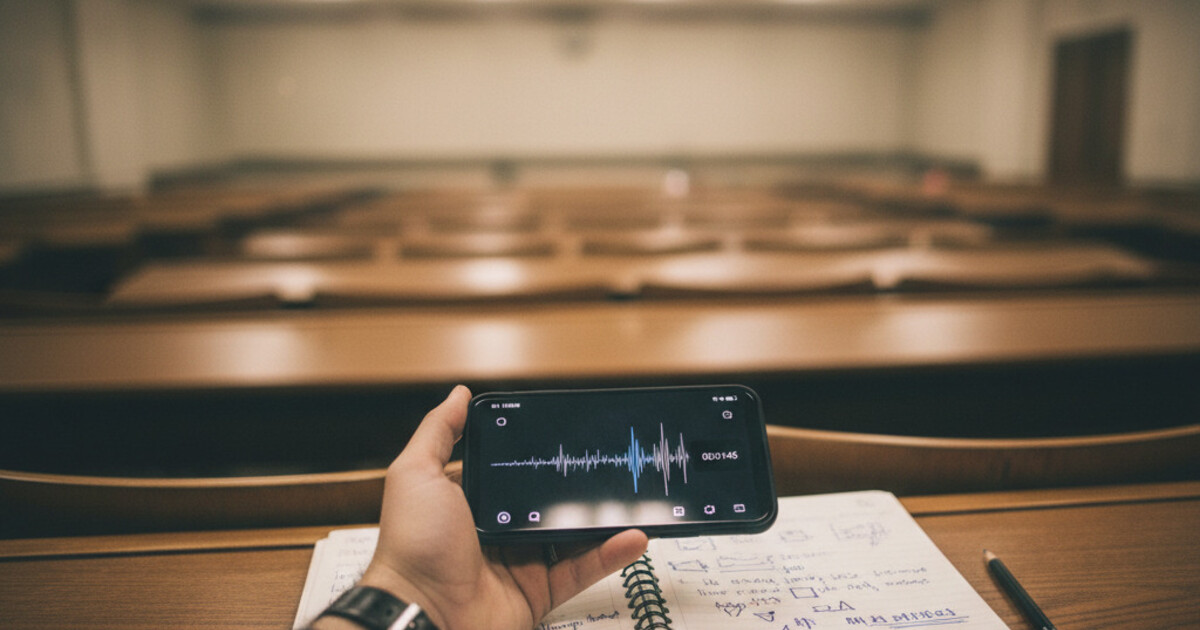
Most recording apps were built for Zoom calls. The dominant names in transcription, like Otter.ai, got their traction from business teams syncing on quarterly reviews. That design shows up in the product. For a student trying to turn a 75-minute organic chemistry lecture into something worth studying from, a business transcription tool is a blunt instrument.
The best lecture recorder app for students in 2026 goes beyond pressing record. It turns that recording into study materials you can actually use before the next class.
The best lecture recorder app for students in 2026 is NoteHive AI. It records lectures and automatically converts the audio into organized notes, flashcards, and quizzes, covering the full study pipeline in one place. Free to start at notehive.app, it works in any browser and supports 80+ languages.
What Is a Lecture Recorder?
A lecture recorder captures class audio so you can focus on understanding instead of racing to write everything down.
Lecturers speak at 120-180 words per minute. The average student types at 40-80 WPM, so a significant portion of each lecture gets dropped or mis-written under time pressure. Research from Mueller and Oppenheimer (2014) found that students who attempted verbatim transcription on laptops scored lower on conceptual exam questions than those who took selective longhand notes, because transcribing word-for-word cuts active processing of the material. A lecture recorder solves the input problem by removing it: you listen and engage with what's being said; the app captures it. Modern AI lecture recorders go further than basic capture. After the recording ends, they generate organized notes sorted by concept, flashcard sets covering key vocabulary, and practice quizzes built from the same audio. NoteHive covers 80+ languages, so you can record in any language and get study materials generated in whichever language you think in best. For the full post-recording workflow, the guide to turning lecture recordings into study notes covers how to get the most from your generated notes and flashcard sessions.
A dedicated lecture recorder differs from a standard voice recorder in one key way: what it does after the audio stops.
What Most Lecture Recorder Apps Get Wrong
Everything that slows students down happens after they stop recording.
A 90-minute lecture generates roughly 12,000 to 15,000 words of spoken content. A transcription app converts that into a searchable document. Useful, but it doesn't get you much closer to exam-ready.
Students who switch from handwriting notes to transcription apps often realize they've just moved the labor downstream. Instead of rushing to write during the lecture, they spend 45 to 90 minutes afterward reading the transcript, picking out the concepts that matter, rewriting them as usable notes, and building their own flashcards or review sheets.
For a student taking 4 or 5 courses, that adds up to several hours per week of post-lecture processing.
A lecture recorder built for studying should close that gap. Record the lecture, walk out with usable study materials.
The Best Lecture Recorder Apps for Students in 2026
Here's how the main options stack up for actual student use.
NoteHive AI
NoteHive was built specifically for students. Tap to record when the lecture starts. When it ends, the app generates 3 outputs automatically: organized notes sorted by concept (not by timestamp), a flashcard set covering the core vocabulary, and a quiz for active recall practice.
It supports over 80 languages, which makes it practical for international students or for recording lectures taught in a language you're still building fluency in. The web app at notehive.app/home gives you access from any browser, so your notes follow you from phone to laptop.
Free tier available. Premium unlocks unlimited recordings.
Otter.ai
Otter.ai is the market leader in transcription. It records accurately and produces clean, searchable text. The free plan gives you 300 minutes per month. A paid subscription runs around $17/month.
The output is a transcript. The studying part is still on you.
For students who need transcription for accessibility purposes or want to search back through months of lecture recordings, Otter is solid at what it does. As a study tool for exam prep, it's incomplete.
Notta
Notta transcribes in real time with solid accuracy across multiple languages. You can import audio files you've already recorded. Good fit if you want to transcribe a recording made on a separate device.
Like Otter, the output is a text document. Notta doesn't auto-generate flashcards or quizzes. The summary feature gives you a paragraph or two of highlights, which helps orient you but doesn't replace actual study materials.
Voicenotes
A stripped-back recorder with AI summaries. Capture audio, get a short summary. Useful as a quick capture tool when you don't need a full transcript. For exam prep, the summaries are too brief to replace proper notes, and there are no flashcard or quiz features.
When comparing lecture recorder apps specifically for exam prep, the gap between transcription tools and study tools is real. A transcription app captures everything said in a lecture. A study-focused app takes that same recording and builds something you can use for exam prep. NoteHive AI sits in the second category. After recording a lecture, it generates structured notes with key concepts identified and organized by topic, creates flashcard sets from the core material, and builds quizzes that test recall on what was covered. For a student taking 4 courses per semester, that difference compounds across dozens of lectures. The manual work of converting a transcript into study materials can take 45 to 90 minutes per lecture. Cutting that step frees up 3 to 5 hours per week that students can redirect to actual review.
How NoteHive Turns a Recording into Study Materials
The pipeline takes about as long as the lecture itself.
Tap record when class starts. The app captures the audio. When the lecture ends, tap stop. NoteHive processes the recording and delivers 3 outputs.
Notes come out organized by concept, not by timestamp. If a professor spends 20 minutes on cellular respiration and another 15 on photosynthesis, the notes separate those topics and surface the key terms and definitions from each.
Flashcards cover the core vocabulary from the lecture, formatted for active recall practice. You can run through them right after class, when the material is freshest.
A quiz builds on the same content in question-and-answer format. Research on active recall consistently shows that self-testing outperforms re-reading for long-term retention. You don't have to write the questions yourself.
For students studying in a second language, the 80+ language support means you can record a lecture in English and get notes generated in your native language. That's a practical feature for international students processing both the content and the language at once.
Pairing NoteHive with solid lecture recording habits improves the quality of the generated output. The app works best when the audio is clear and the speaker is close enough to the microphone.
Free vs. Paid: What You Get Without Spending Money
NoteHive's free tier covers the core features: recording, AI-generated notes, flashcards, and quizzes. No credit card required to start.
Premium unlocks unlimited recordings. If you're taking 5 courses and recording every lecture, you'll hit the limits on most free-tier transcription tools within a few weeks. NoteHive's premium tier is built for students who want the full pipeline running across all their classes.
For comparison: Otter.ai caps the free plan at 300 minutes monthly and charges around $17/month for more. Notta's free tier is similarly restricted. If you're committing to recording every class, those caps create friction fast.
The practical test is to use any free tier on your next 3 lectures and evaluate the output on your own material. The difference between a raw transcript and organized notes with flashcards is easier to judge from actual lecture content than from a spec comparison.
For more context on how these tools fit into a broader study workflow, the guide to AI note-taking apps for students covers the wider landscape.
Frequently Asked Questions
Do I need permission to record lectures?
Recording policies vary by school and professor. Many colleges require you to ask before recording. Check your syllabus or ask directly. NoteHive is designed for personal study use, but whether you can record is between you and your institution. The complete guide to recording lectures in college covers the legal and policy details by state.
What's the best free lecture recorder app?
NoteHive AI's free tier includes recording, AI-generated notes, flashcards, and quizzes. Most free alternatives limit you to transcription and cap your monthly minutes. For students who want complete study materials without paying upfront, NoteHive's free tier covers the essentials.
Can NoteHive handle technical lectures (science, math, engineering)?
NoteHive works best with spoken lecture content. It picks up terminology accurately when the audio is clear. Highly mathematical content that's mostly written on a board rather than spoken out loud is harder for any audio-based recorder to capture fully. For formula-heavy courses, combining the recording with your own handwritten notes for equations works well.
How does NoteHive compare to NotebookLM for students?
NotebookLM is a document analysis tool that works with files you upload. NoteHive is a live recorder that captures your lecture and builds study materials from the audio. They're doing different jobs. For more on how transcription tools compare, the NotebookLM vs Otter AI breakdown gives useful context on the transcription side.
Does NoteHive work for online classes?
NoteHive records audio on your device, so it works for any lecture you're physically attending with audio playing through speakers or headphones. For online video lectures, play the audio and record simultaneously with the app.
Is using a lecture recorder app cheating?
Recording lectures for personal study purposes isn't academic dishonesty. AI apps that generate notes and flashcards from your recordings fall in the same category. NoteHive is university-compliant and designed to support learning, not bypass it. The app doesn't answer exam questions or complete assignments. More on where the line is at is using AI to study cheating?.
What does a lecture recorder do?
A lecture recorder captures class audio and converts it into study materials. Basic apps produce a raw recording or a transcript. AI-focused lecture recorders like NoteHive process the audio automatically and generate organized notes, flashcard sets, and quizzes from it, cutting the manual work of post-lecture note organization. The recording itself is the input; the study materials are the output.
If you're spending more time processing lectures than reviewing material, try NoteHive AI on your next class. Record the lecture, and you'll have organized notes, flashcards, and a quiz ready before you leave campus. Start free at notehive.app.
Ready to transform your study sessions?
Start using NoteHive AI in your browser — turn your lectures into organized notes, flashcards, and quizzes. No download required.