
NotebookLM vs ChatGPT for Studying: Which Is Better in 2026?
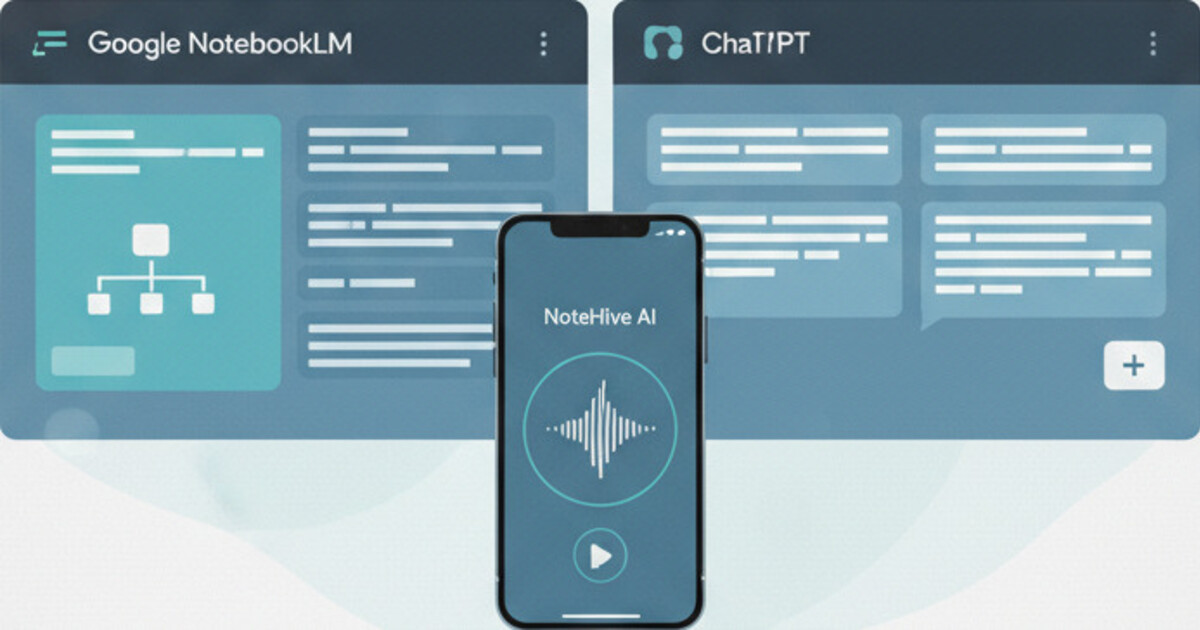
Most students who've tried both NotebookLM and ChatGPT for studying end up using each one wrong. ChatGPT gets opened to summarize assigned chapters. NotebookLM gets used to fire off follow-up questions when a direct tutoring conversation would be faster. The problem isn't the tools; it's that nobody clearly explains what each one is actually built to do.
This breakdown covers how NotebookLM and ChatGPT for studying actually differ, which tasks each one handles well, and where each one breaks down. You'll also see where a third option fits, since both tools leave the same gap in most students' workflows.
NotebookLM vs ChatGPT for studying: NotebookLM processes your uploaded materials (PDFs, slides, YouTube links) into summaries, study guides, and audio overviews. ChatGPT is a general-purpose AI tutor, and its Study Mode adds Socratic, interactive learning that asks questions back rather than just answering them. Neither records live lectures or automatically turns class audio into study materials.
What NotebookLM Does (and Where It Falls Short)
NotebookLM is Google's research assistant. Feed it course materials (lecture slides, PDFs, textbook chapters, or YouTube links) and it builds structured summaries, Q&A pairs, a study guide, and a two-person audio podcast from those sources.
The source-locking is the key strength. Because NotebookLM stays locked to what you give it, it won't pull in facts from outside your documents. That matters in technical subjects where a confident wrong answer can send your studying in the wrong direction.
NotebookLM processes course materials you upload and generates four types of output: a structured summary, key Q&A pairs, a full study guide, and an audio podcast in a two-person conversation format. It's source-locked, meaning it only draws from what you've given it and won't add details from outside your documents. That design makes it more accurate than general AI tools for subject-specific content, since hallucination risk drops sharply when the model can't pull from general knowledge. It matters most in technical subjects like pharmacology, engineering, or economics, where a confident wrong answer can cost you on an exam. The main limitation: NotebookLM requires you to gather and upload materials before it can help you with them. If you want to process what happened in today's lecture, you need to bring something to upload first, whether that's a slide deck your professor shared, your own typed notes, or a YouTube recording of the same material. It can't listen to a live class.
The main things NotebookLM can't do: record live audio, run interactive quizzes with progress tracking, generate flashcard decks for spaced repetition, or work with materials you haven't already uploaded.
Bottom line: NotebookLM is strong for processing assigned readings and turning course materials into audio overviews and structured summaries. It's a post-class tool, not a during-class one.
What ChatGPT Does (and Where It Falls Short)
ChatGPT is a general-purpose AI assistant. For studying, it works best as an on-demand tutor: type in a concept you're struggling with and it explains it in plain English, walks through examples, or generates practice questions on the spot.
It's also useful for building custom study materials when you paste in your own notes. "Generate 10 practice questions from this chapter summary" gets you a working quiz in seconds.
The gaps show up fast. ChatGPT doesn't remember your course materials between sessions unless you build a custom GPT. It can't record lectures. It has no structured flashcard output that works with spaced repetition. And it occasionally produces confident-sounding wrong answers, especially in technical fields, so fact-checking is your job.
For most students using it well, ChatGPT fills the "explain this to me right now" role rather than the "build my study system" role. It closes knowledge gaps quickly. It doesn't organize a study workflow for you.
A useful pairing: use NoteHive AI to record the lecture and generate notes and flashcards automatically, then open ChatGPT later to clarify anything in those notes you still don't fully understand. The two tools don't overlap much when you use them this way.
ChatGPT Study Mode vs NotebookLM
OpenAI added Study Mode to ChatGPT in 2025, and it changes how students should think about this comparison. Study Mode asks questions back instead of just answering them.
When you activate it, ChatGPT shifts into a Socratic format. It clarifies your skill level first, then guides you through material step by step rather than handing over complete answers. OpenAI developed it with educators specifically to build genuine comprehension rather than shortcut it.
Study Mode can start immediately with no document upload required, since ChatGPT draws from its training data. It generates practice questions, walks through problems interactively, and adapts to your understanding as you go. The tradeoff: it doesn't cite sources, which makes it harder to verify answers in technical subjects where hallucination risk is higher.
NotebookLM's Audio Overview (the two-person podcast format) stays unique. Study Mode doesn't replicate it. That remains the cleaner option when you want to absorb dense course content hands-free.
Use Study Mode when you need help understanding a concept and don't have specific source material to verify against. Use NotebookLM when you have course materials you want processed and cited accurately.
Pricing: ChatGPT Plus costs $20 per month and includes Study Mode. NotebookLM is free with a Google account, with a limit of 50 sources per notebook. NotebookLM Plus runs $19.99 per month.
NotebookLM vs ChatGPT for Studying: Head-to-Head
Here's how the two tools compare on the tasks that matter in a real study workflow:
| Task | NotebookLM | ChatGPT | ChatGPT Study Mode |
|---|---|---|---|
| Summarize a lecture | Requires uploaded transcript or slides | Yes, if you paste notes in | Yes, from pasted content |
| Record live lectures | No | No | No |
| Generate flashcards | Basic Q&A only, no spaced-repetition deck | Typed list, no review system | Interactive Q&A format |
| Practice quiz | From your uploaded sources only | Yes, from pasted content | Interactive, adapts to you |
| Explain a concept | Only within your uploaded sources | Yes, general knowledge | Socratic: guides you through it |
| Audio overview | Yes (two-person podcast format) | No | No |
| Source citations | Yes, traceable to documents | No | No |
| Accuracy on course content | High (source-locked) | Variable, can hallucinate | Variable, can hallucinate |
| No upload required | No | Yes | Yes |
| Price | Free (50 sources/notebook) | Free or $20/mo Plus | $20/mo Plus required |
None of these wins across every category. NotebookLM is more structured and more accurate for course-specific content. ChatGPT and Study Mode are more flexible and better for real-time tutoring and interactive review.
The overlap is smaller than most students expect. ChatGPT is better when you need to understand something. NotebookLM is better when you need to organize and review something you've already gathered. Study Mode sits between them: it's tutoring with a testing component built in. For most study workflows, they solve different problems.
How NoteHive AI Fills the Gap Both Tools Leave
If you're weighing NotebookLM vs ChatGPT for studying, there's one gap both tools share: neither captures your lectures automatically.
Most of your new learning happens in class. You're listening, taking fragments, hoping you caught enough to reconstruct later. NotebookLM needs you to bring materials after the fact. ChatGPT needs you to type or paste content you've already organized.
NoteHive AI takes a different starting point. Tap record at the start of a lecture. When the session ends, the app builds organized notes, a flashcard deck, and a practice quiz from the audio automatically. It also converts those notes into an audio podcast format for hands-free review during a commute or workout.
The full pipeline: lecture audio in, study materials out, in under 2 minutes. All from a browser at notehive.app, no install required.
Where NoteHive fits best:
- Students who want to actually listen in class instead of copying notes frantically
- Anyone in a fast-paced course where manual transcription causes missed key points
- Students in courses taught in any of 80+ supported languages
- Anyone who wants quiz and flashcard generation built directly into the same recording flow
For real-time concept help or interactive exam prep, ChatGPT or Study Mode is the right tool. For processing a dense assigned reading, NotebookLM earns its place. For capturing what actually happens in class and building study materials from it, NoteHive fills the gap.
For a deeper look at alternatives to each, see the full roundup of best NotebookLM alternatives for students and best ChatGPT alternatives for studying. If live transcription is your main comparison point, NotebookLM vs Otter AI for students covers that directly.
Which Tool Should You Actually Use?
The answer depends less on which tool is "better" and more on what you're trying to do.
Use NotebookLM when:
- You have PDFs, slides, or assigned readings to process into structured study materials
- You want audio overviews of dense material you'd otherwise skim
- Accuracy is critical and you need the AI locked to your source documents only
Use ChatGPT when:
- You need a concept explained in plain language, right now
- You want custom practice questions from notes you've already written up
Use ChatGPT Study Mode when:
- You want Socratic, interactive learning that asks you questions back
- You're studying for exams and want to test your understanding rather than just get answers
- You need immediate help with no document prep required
Use NoteHive AI when:
- You want to record lectures and get notes, flashcards, and a quiz automatically
- You want one tool covering the full lecture-to-study-material pipeline
- You're studying in a language other than English, or in a multilingual program
Many students end up using all three, just for different jobs. The mistake is expecting any one of them to handle the entire study workflow on its own.
Frequently Asked Questions
Is NotebookLM or ChatGPT better for studying? They serve different purposes. NotebookLM is better for processing uploaded course materials into structured study guides and audio overviews. ChatGPT is better for real-time tutoring, and its Study Mode takes that further with Socratic, interactive learning that tests your understanding rather than just answering questions. For recording live lectures and auto-generating study materials from them, neither tool handles that on its own.
Can NotebookLM replace ChatGPT for studying? For most students, no. NotebookLM is locked to your uploaded sources, so it can't answer general questions or explain concepts beyond what's in your documents. ChatGPT handles those roles better. The two tools work best alongside each other for different study tasks rather than replacing one another.
Does NotebookLM work for all subjects? It works for any subject where you can upload course materials. It's especially strong for content-heavy courses like history, literature, and social sciences. For technical subjects like medicine or engineering, the source-locking is actually an advantage because it avoids AI-generated incorrect answers, but you'll need to upload reliable, complete source material first.
Which AI study tool is most accurate? NotebookLM is the most accurate for course-specific content because it stays within your uploaded sources. ChatGPT is more capable broadly but produces incorrect answers more often in technical subjects. A dedicated lecture app like NoteHive AI is accurate because it transcribes your actual professor's words rather than generating content from general training data.
Does NoteHive AI work for international students? Yes. NoteHive supports transcription and note generation in 80+ languages, covering Spanish, French, Mandarin, Arabic, Portuguese, German, Japanese, and more. Students in courses taught in a non-native language can record, transcribe, and study in the same language as the lecture.
The choice between NotebookLM and ChatGPT for studying depends on whether you need document processing, real-time tutoring, or interactive Socratic learning with Study Mode. For the part of your study workflow that starts in class, try NoteHive free at notehive.app. Record your next lecture and get AI-generated notes, flashcards, and a practice quiz in under 2 minutes.
Ready to transform your study sessions?
Start using NoteHive AI in your browser — turn your lectures into organized notes, flashcards, and quizzes. No download required.